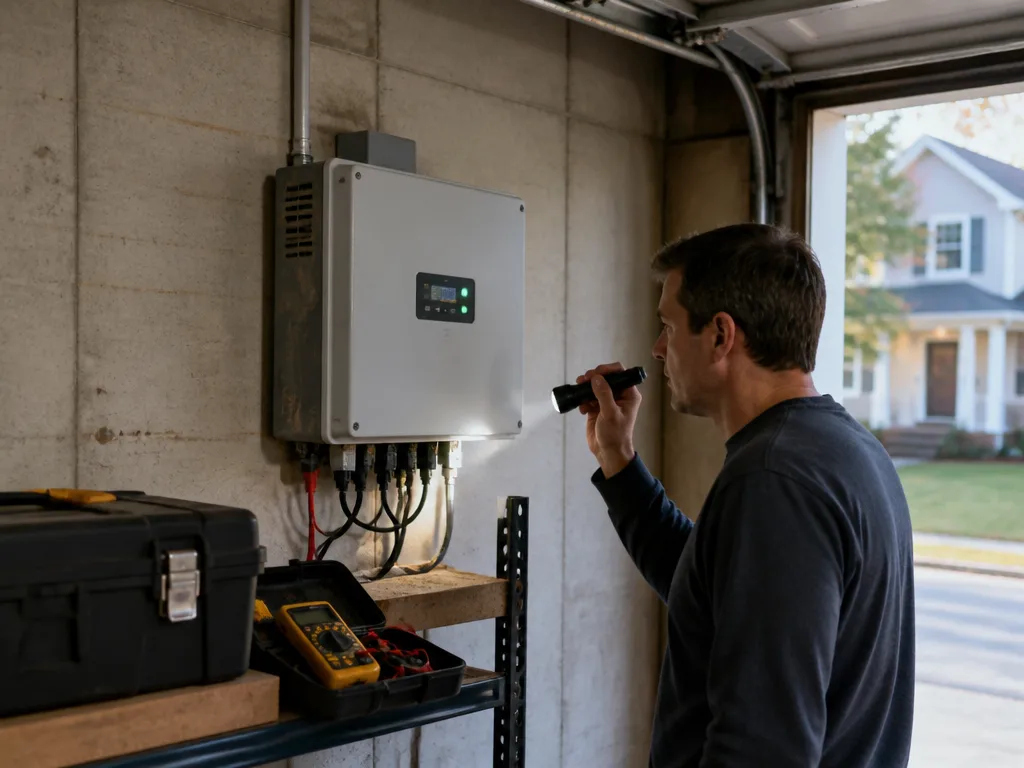
Your inverter is the box on the wall, or sometimes out by the side of the house, that turns the direct current from your panels into the alternating current your home actually uses. When it works, you never think about it. When it doesn't, your production numbers drop and you start wondering whether something is wrong. Maybe it is. Maybe it's something small you can handle in five minutes. This guide walks through what a homeowner can reasonably check on their own, and where the line sits between a quick look and a call to a professional.
Start with what your monitoring app is telling you
Most systems come with a monitoring app or web portal that shows production by day, by hour, and sometimes by panel. Before you touch anything, open it. Check whether the inverter is reporting at all. A flat line from midnight to noon on a sunny morning means something different than a dip on a cloudy afternoon.
Look for an error code or a status light. Many inverters use a color pattern, like a steady green for normal, a blinking amber for a warning, and solid red for a fault. The manufacturer's manual will list what each code means. Write down the code exactly as it appears, including any numbers after the letters. That single detail saves a lot of back-and-forth if you end up calling us.
Also check the date and time stamps on the data. If the inverter's clock drifted, the app might show gaps that look like failures but are really just a reporting problem. Logging in to the inverter's local display, if it has one, can confirm the clock is correct.
Things a homeowner can safely check
Some checks are simple and carry little risk, as long as you keep your hands off the internals. Start with the surroundings. Is the inverter in direct sun, or is it baking in an enclosed space? Heat is one of the most common reasons an inverter throttles its output or shuts down during hot weather. Make sure there is clearance around the unit and that nothing is stacked against the vents.
Next, look for debris and moisture. Leaves, dust, nesting material, or a buildup of cobwebs can block airflow. Use a dry cloth or a soft brush on the outside only. Do not spray water or cleaning products at the unit. Water and electronics do not mix, and a wet enclosure can cause damage you will not see until later.
Check the breakers and the disconnects that sit beside the inverter. If your system has an AC disconnect and it is in the off position, the inverter has nothing to feed into and will show as offline. Turning a disconnect back on is fine if you know which one it is and the system was switched off recently by you or by someone during routine work. If you are not sure, leave it and call us.
A reset is sometimes useful too. Some inverters clear a transient fault after they are power cycled, but the proper sequence matters. The manual will say whether you should disconnect AC first, wait, then reconnect, and how long to wait between steps. Follow that order exactly. Doing it out of sequence can make a minor issue harder to diagnose.
A short list of safe checks
- Confirm the status light and error code, and write both down.
- Make sure the unit has airflow and sits out of direct sun.
- Clear debris from the outside with a dry cloth or soft brush.
- Verify that AC disconnects and breakers you recognize are in the correct position.
- Check the monitoring app for timing gaps before assuming a fault.
Where the line sits: what not to touch
Here is the part that matters most. An inverter is not a box you open to look around inside. Even with the AC side off, the DC conductors coming from your panels can carry dangerous voltage whenever the sun is up. Capacitors inside the unit can hold a charge after shutdown. The enclosure is designed to keep you away from those parts, and that design is there for a reason.
Do not remove the cover. Do not pull on DC wiring, unplug connectors, or try to swap a component, even if you have done some electrical work around the house before. Solar DC behaves differently from the household circuits you may be used to, and a mistake can be serious. The same goes for any fuse, bracket, or conduit near the unit.
If you see signs of physical damage, stop there. Cracked housings, scorch marks around a connector, bulging or leaking components, or a strong burnt smell all point to a problem that needs a qualified solar specialist. Keep your distance, do not try to test it with a meter, and do not attempt a repair.
When it is time to call a professional
Some situations are not a judgment call. Call a solar specialist if the inverter shows a fault code that comes back after a reset, if production stays low for more than a day or two of good sun, or if the unit runs but makes new noises like buzzing, clicking, or a rapid humming that wasn't there before. A persistent fault after you have checked the basics is almost always a sign that something inside needs testing.
Call right away if you notice a burnt smell, visible smoke, sparking, water pooling near the unit, or the enclosure feels hot to the touch. Keep people and pets clear of the area while you wait. If it is safe to do so, switch off the AC disconnect nearest the inverter, then step back. Do not go back inside the enclosure or start moving wires to find the source.
Also call if the system was installed by someone else and you cannot find the manufacturer documents, or if a storm, falling limb, or hail event hit the property. Impact damage often shows up as an inverter that powers on but behaves strangely hours or days later.
What to have ready before you call
A good call goes faster when you have the basics in hand. Write down the inverter brand and model, which is usually on a label on the side of the unit. Note the error code and the color of the status light. Pull a screenshot of the monitoring app showing production for the past week, along with any gaps or sudden drops. Mention whether anything changed recently, such as a storm, a roof repair, a new appliance on the same circuit, or a tree trimming crew working nearby.
Tell us what you already tried. If you cleared debris, checked the breakers, or did a reset, say so. That keeps the visit focused on the real problem rather than repeating steps you have done.
Solar Installation works with homeowners across the country, and our local crews know that inverter trouble does not wait for a convenient day. When something looks off, give us a call. We can talk through what you are seeing, help you decide whether it is worth a visit, and set up scheduling that fits your week. Same-week scheduling is often possible, depending on the season and where you are.
Staying on top of your inverter is mostly about paying attention. Check the app, keep the area clear, follow the manual, and know the warning signs that mean it is time to stop and call. The small checks you can do yourself will catch plenty of minor issues. The rest is a job for a solar specialist, and there is no shame in handing it off.